
For basketball coaches
Turn basketball match video into better training
Video analysis, tactics and session planning for basketball, football, handball and volleyball coaches. Clip and tag your games, draw the play, plan the week — and share it all with your players.
No card needed · Athletes are always free · Stop any time and keep everything you made
Tactics Board: A pick and roll: the five screens for the point guard, who drives off it and finds the five rolling to the basket.
4 sports
Basketball, football, handball and volleyball, each on its own court.
Frame by frame
Draw a play a frame at a time, then play it back to the squad.
Nothing to install
It runs in the browser — on a laptop, a tablet or a phone.
Yours to keep
Stop paying and you still keep, watch and export what you made.
Basketball
Built for basketball, not bolted on
- A shot chart that knows a three from a two: mark each shot on the half court and it records the value, with free throws on buttons of their own.
- A game clock that counts down ten-minute quarters, with five minutes of overtime.
- Draw sets on a full or a half court — runs, passes, dribbles and screens — and play them back frame by frame.
How it works
From match to training in three steps
- 1
Link the match video
Paste a YouTube, Vimeo or share link to the game. No special camera, and nothing to install — it runs in the browser.
- 2
Clip, tag and draw
Press a key to clip a moment, tag who was involved and what happened, and draw the play on a court made for your sport.
- 3
Share it with the squad
Send playlists, tactics and the training calendar to your players. They see what you share, on their own phone.
Features
Everything a coaching team needs, in one place
No more video in one app, plays on a whiteboard photo and training times in a group chat.
01Video Analysis
Tag every moment as it happens
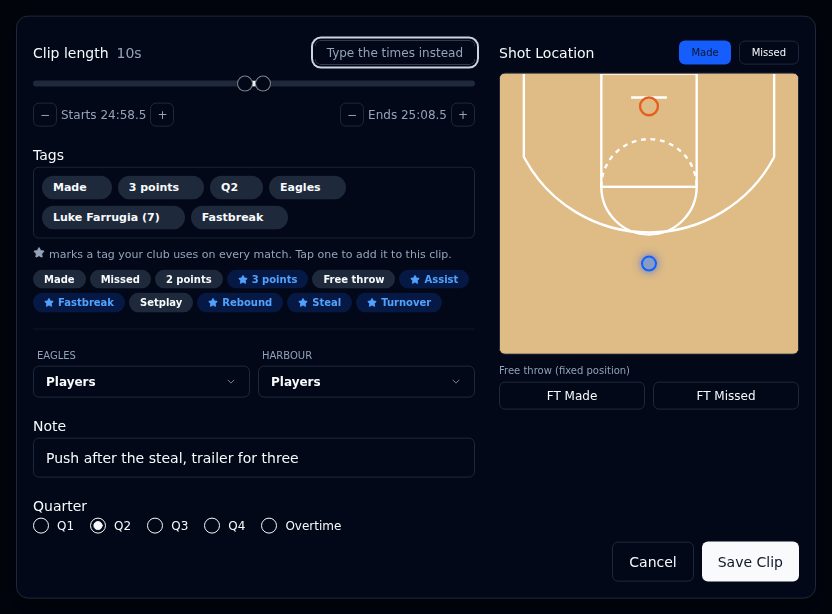
- Press one key as it happens: the clip keeps the twelve seconds before and three after, set per tag to suit how you cut, and you trim it to taste.
- Tag who was involved, what happened and the quarter, and mark the shot on a court drawn for your sport.
- Find any moment again in seconds: filter every clip by tag, player, team or quarter, and play them back to back.
- Put the ones that matter in a playlist, in the order you want, and share it with the squad.
02Match dashboard
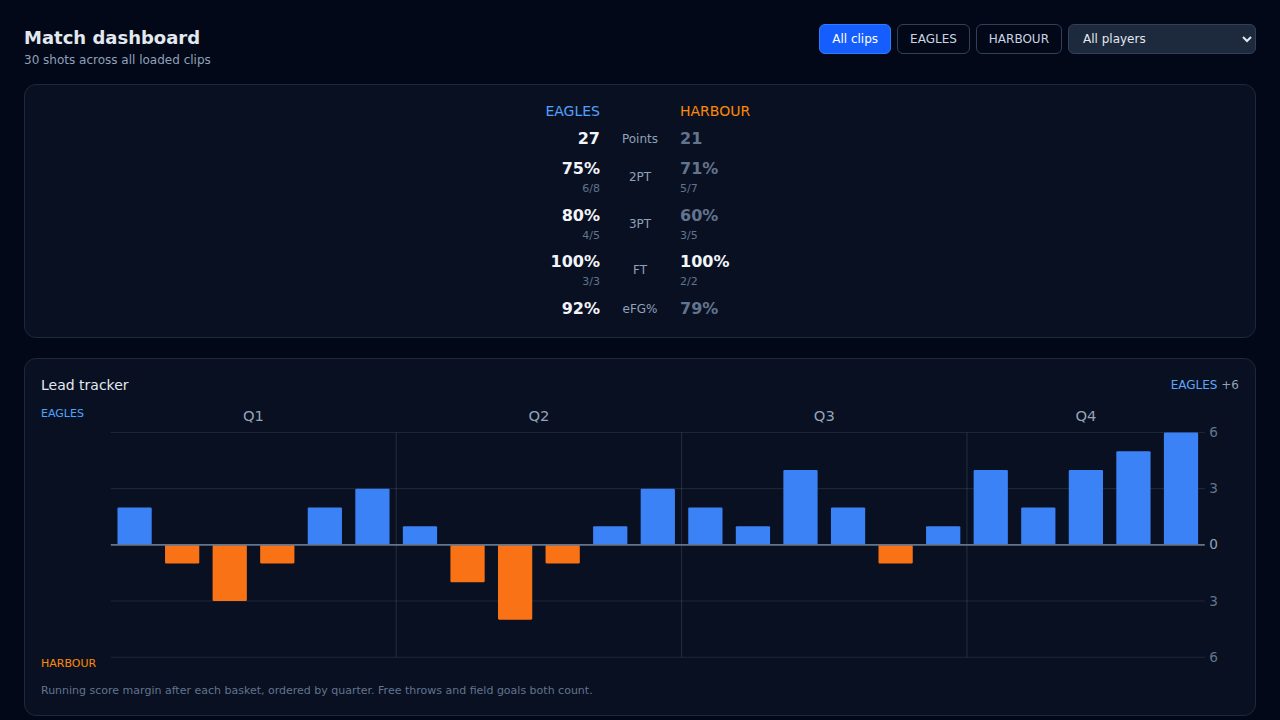
The numbers build themselves
- Shooting for both teams, straight from the clips you tagged — nothing typed in twice.
- A lead tracker, the lead changes and the biggest runs, quarter by quarter.
- Narrow it to one team or one player in a click.
03Scouting Report
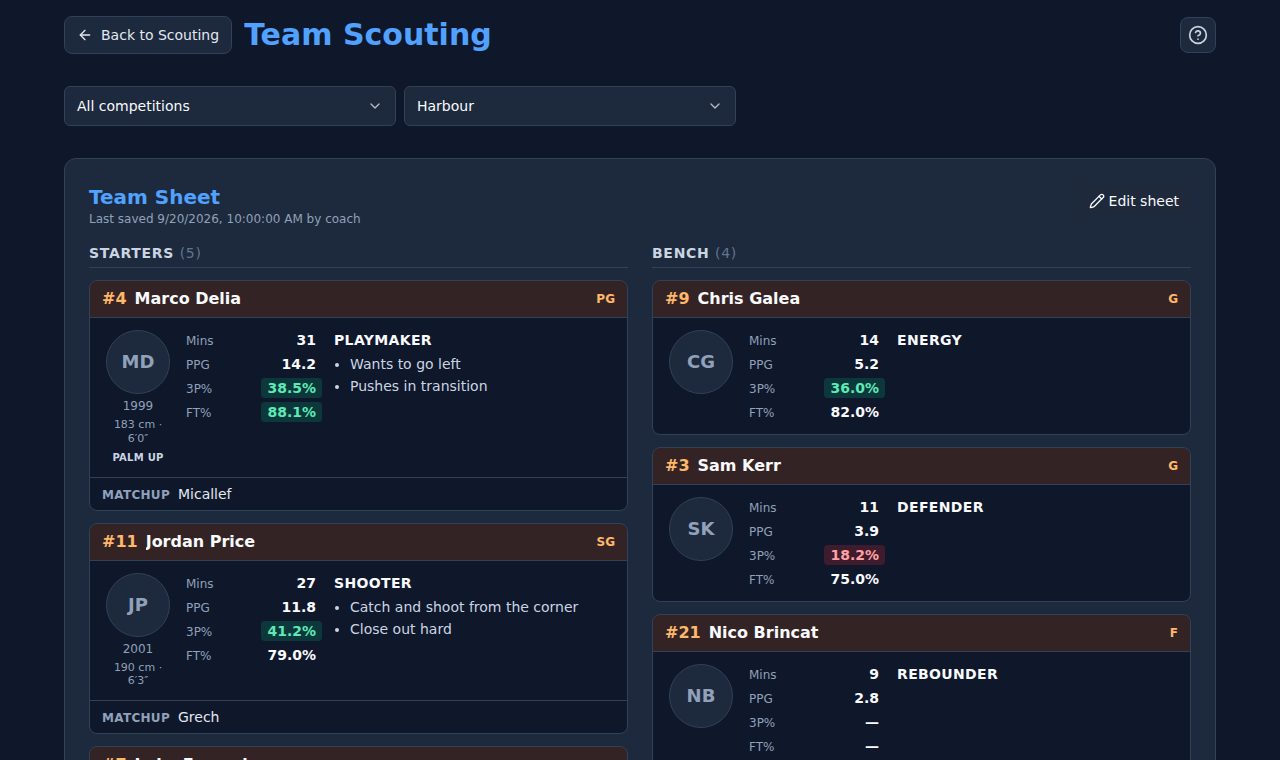
Know your next opponent before the game
- A team sheet like the one you print: starters and bench, and a card for every player with minutes, points and who picks them up.
- In basketball, shooting percentages coloured to say how to guard each player — close out, go under, or send them to the line.
- Every shot they took against you, on a chart built from your own tagged clips, with those matches a click away.
- Written reports on teams and players, shared with a link. Your notes are yours alone.
04Tactics Board
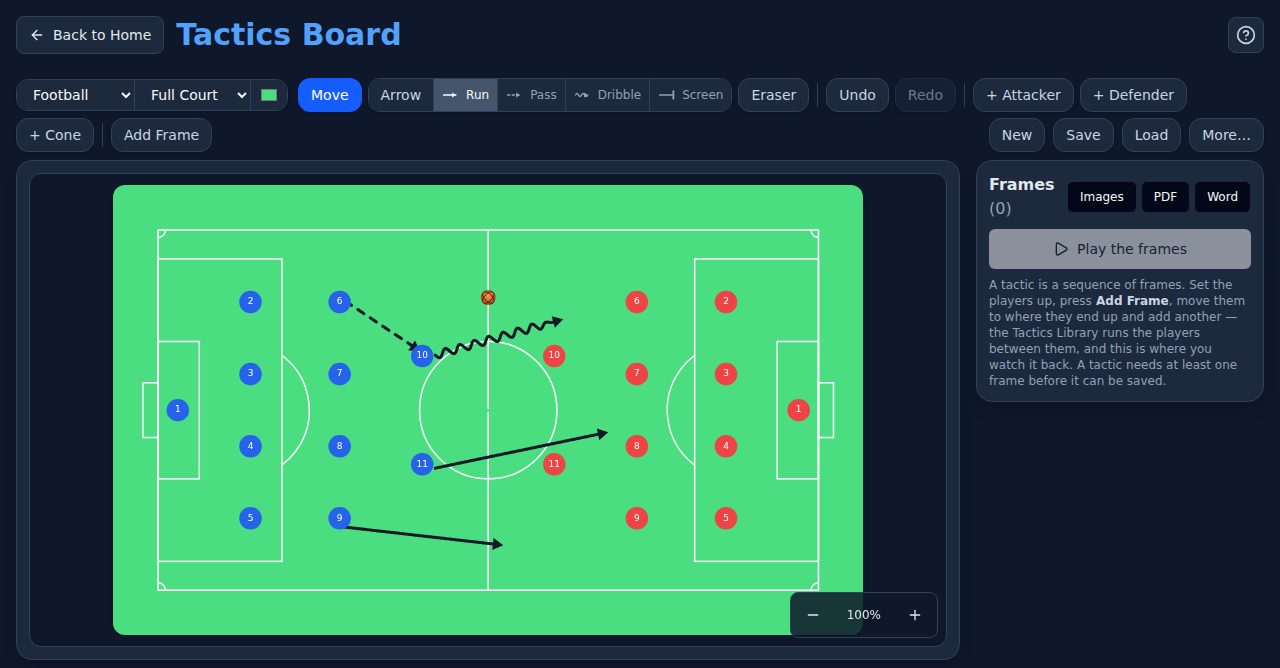
Draw the play, then watch it run
- Runs, passes, dribbles and screens, on a court drawn for your sport.
- Set the play up frame by frame and play it back to the squad.
- Export it as images, a PDF or a Word document, or record it as a video.
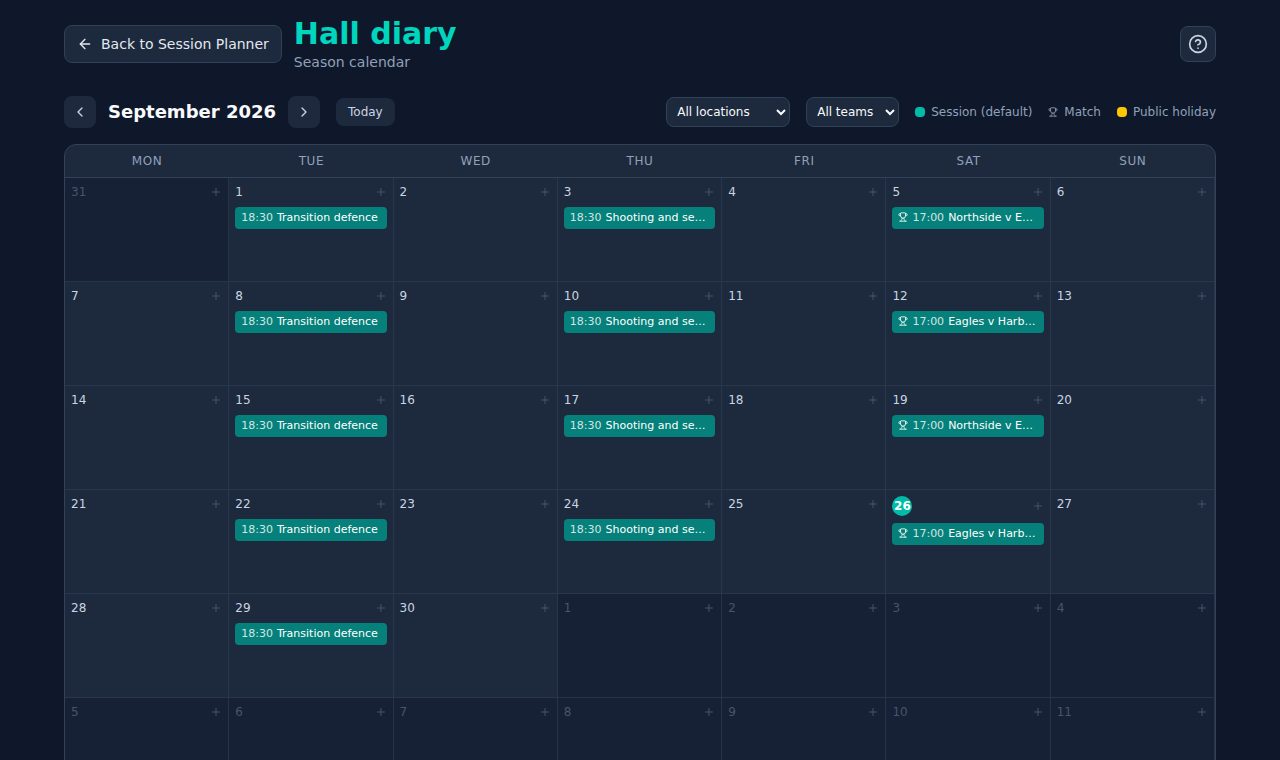
05Session Planner
Plan the season, not just Tuesday
- Training sessions and matches on one season calendar.
- Import a league's fixture list instead of typing every game.
- Share the calendar with the team, so nobody asks what time training is.
And alongside them
Clip Library
Watch and filter the clips you have saved, on their own or as a playlist.
Clip Studio
Freeze a moment inside a clip and draw the action on it.
Tactics Library
Every tactic you have saved, with its video and its explanation.
Four sports
One Tactics Board, four courts
Each sport has its own court or pitch, its own players to move and its own game clock.
Basketball
Tactics Board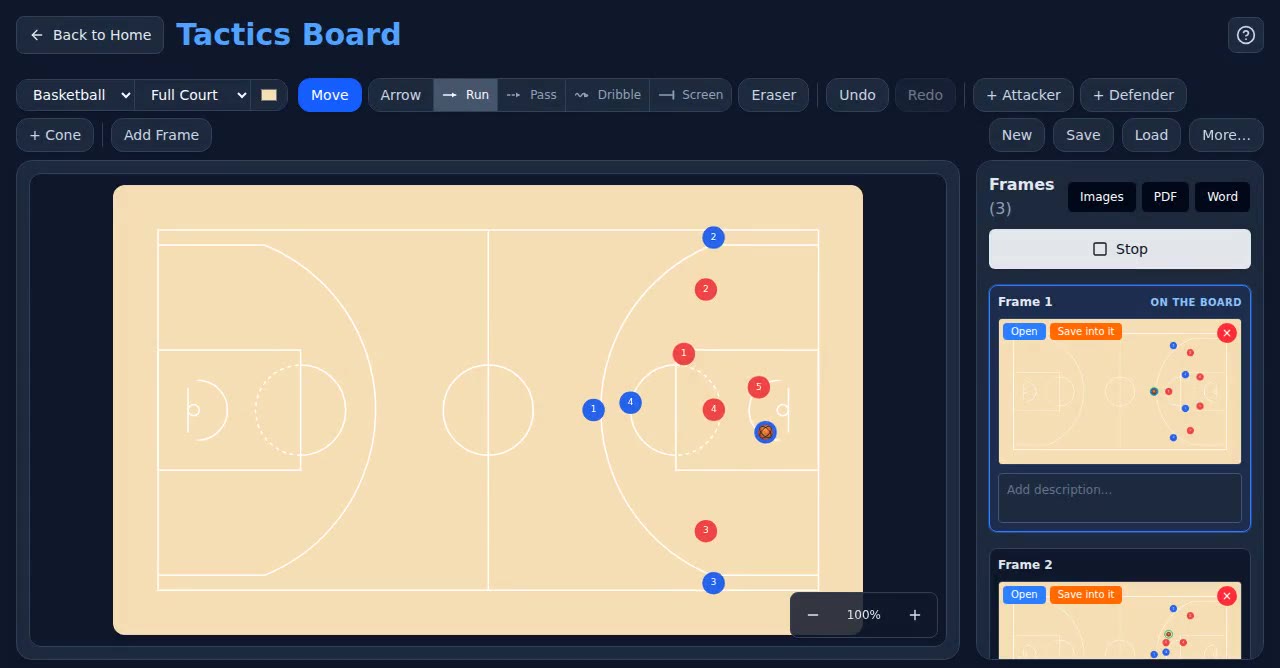
A pick and roll: the five screens for the point guard, who drives off it and finds the five rolling to the basket.
Football
Tactics Board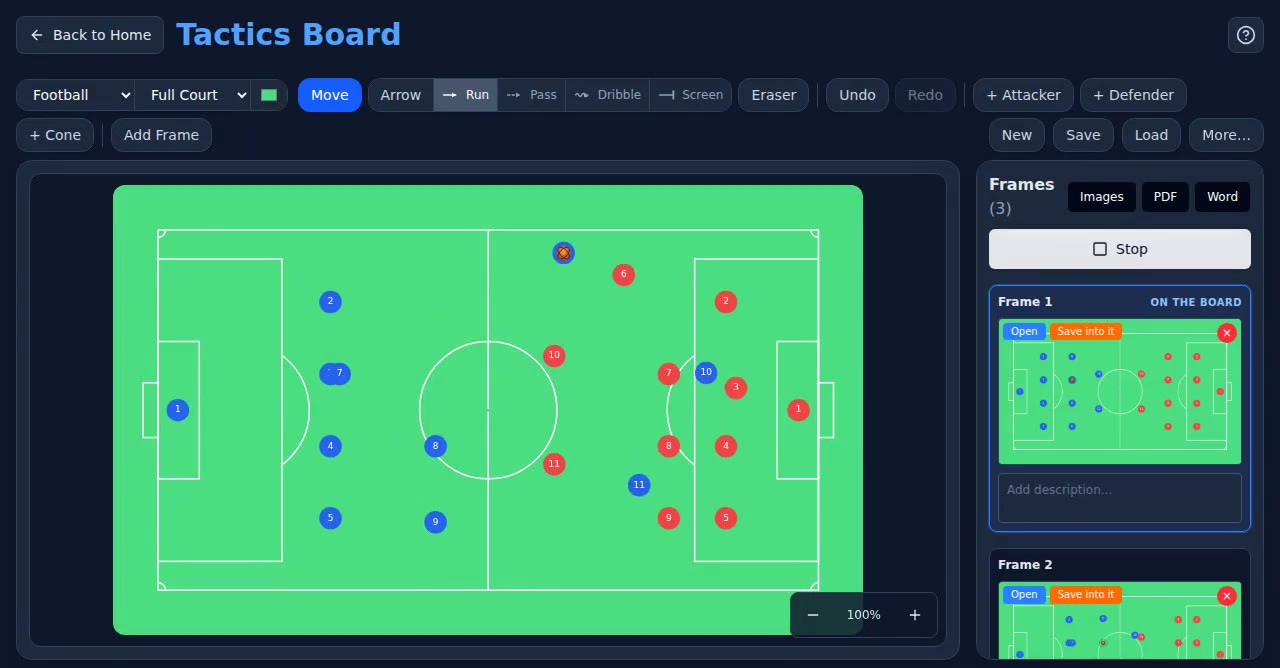
The team pushes up, the ball goes wide, and the striker runs in behind.
Handball
Tactics Board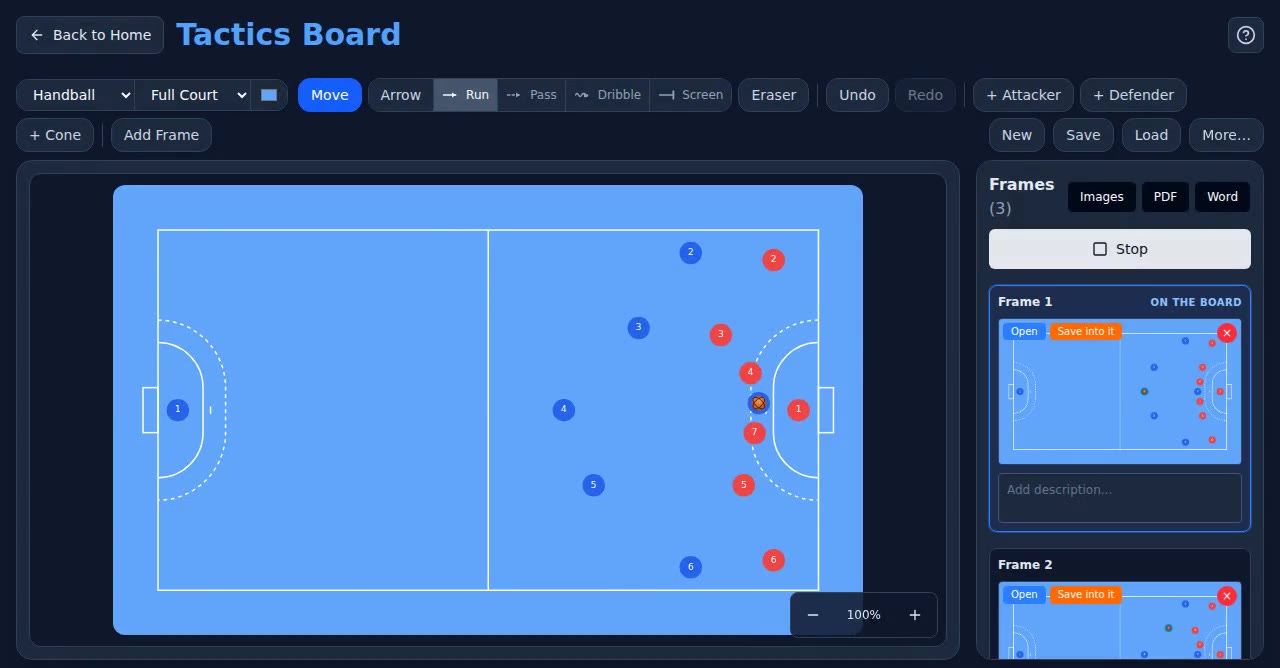
The backs move the ball across and find the pivot between the lines.
Volleyball
Tactics Board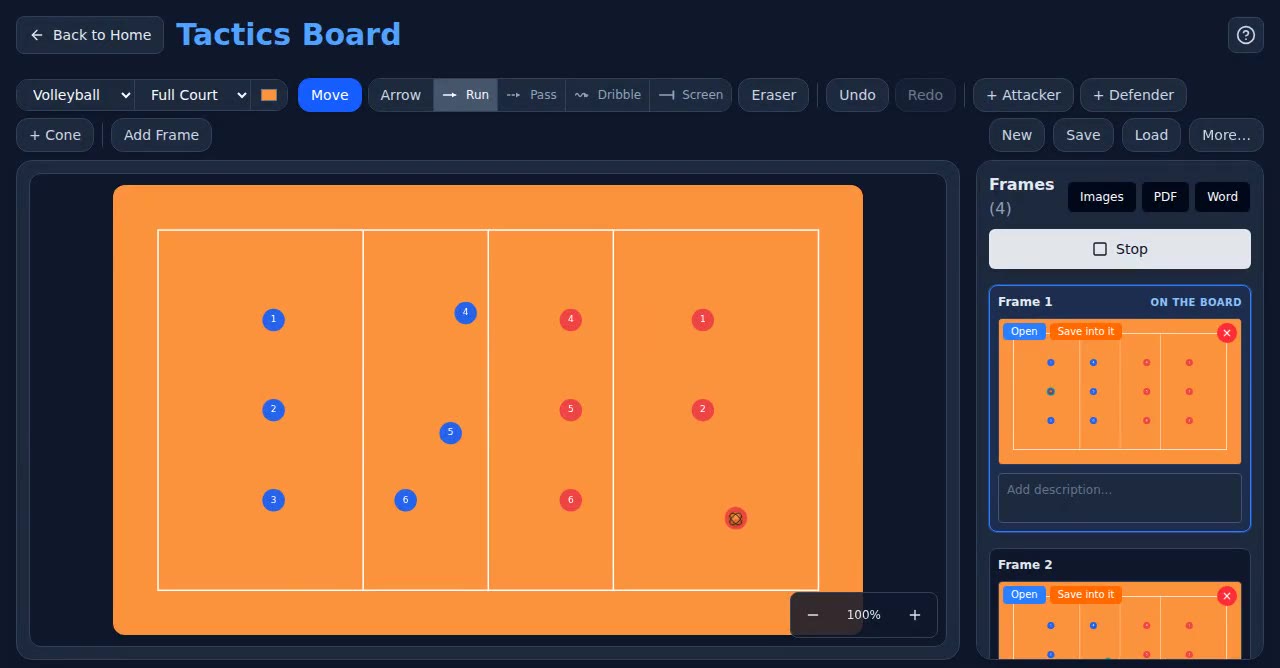
Pass, set, attack — and the dig on the other side of the net.
Who it's for
Built for the whole staff, not just the head coach
Coaches
Break down the last game, draw what you want to fix, and plan the sessions that fix it — then show the squad.
Assistants and staff
Let into the teams they work on at the level the coach chooses — from watching the calendar to running the squad — with nothing to set up themselves.
Players
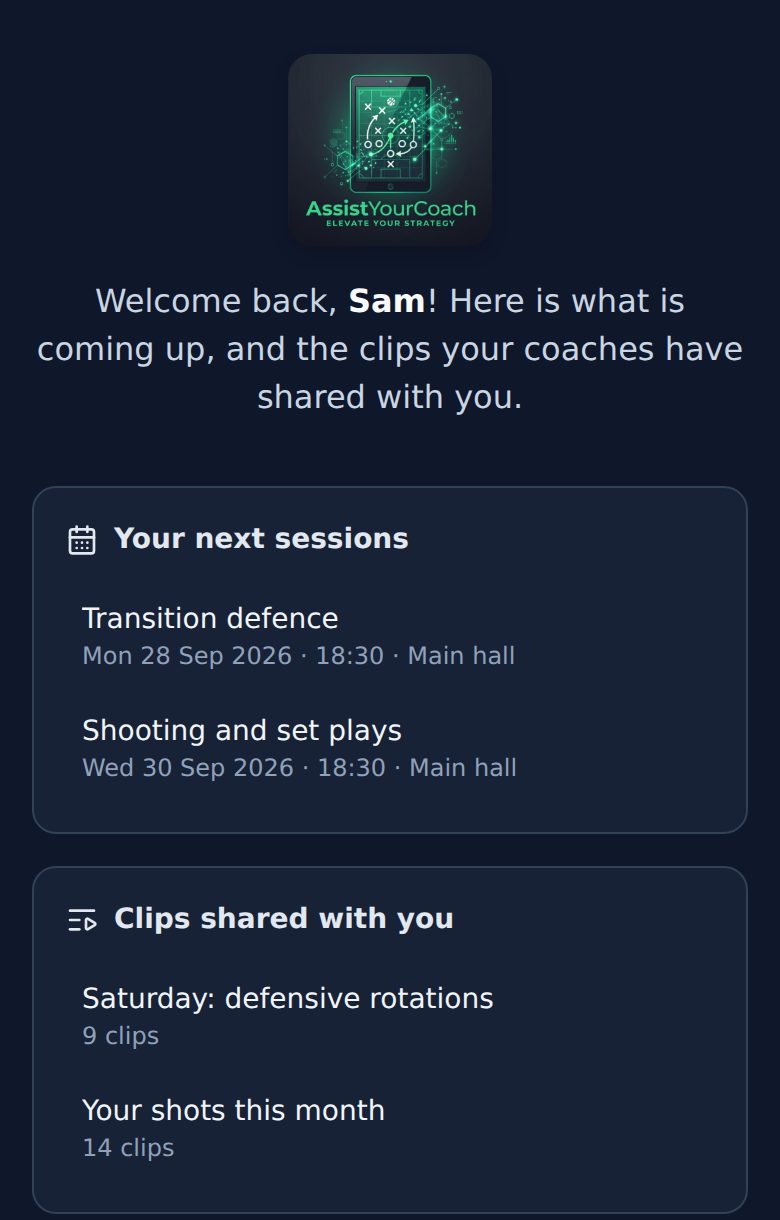
Free accounts. Their next sessions and the clips their coaches shared, on their phone — without the planning tools.
Pricing
Priced per coach. Players are free.
Only staff logins count towards what a coach pays, so adding the whole squad costs nothing.
- Every plan starts with a free month — no card needed to begin.
- Pay monthly, or yearly and get two months free.
- Stop any time: you keep everything you made, and can still watch and export it.
Privacy
Made for teams with young players
Squad lists hold names, dates of birth and photos of children. We treat them that way.
We do not sell anybody’s data, run no advertising, and use no analytics or tracking cookies.
Each coach’s work is reachable only from the accounts they let in, and every match says who can see it: just you, your team, all your teams or everyone.
Players see what has been shared with them, not the full planning tools.
A linked YouTube video stays on YouTube. Passwords are stored hashed, and every connection is encrypted.
The detail is in our privacy policy, written to be read.
Questions
Before you sign up
Do I need a special camera or software?
No. Film the game however you already do and put it online — YouTube, Vimeo or any share link. Assist Your Coach runs in the browser, so there is nothing to install.
Which sports does it cover?
Basketball, football, handball and volleyball. Each gets its own court or pitch diagram, its own periods and its own game clock.
Does it work on a phone or tablet?
Yes, in the browser. Breaking down a game and drawing plays is most comfortable on a bigger screen; players mostly use their phones.
What happens when the free month ends?
Choose a plan. If you do not, nothing is deleted: you keep everything you made and can still watch and export it.
Do players cost anything?
No. Only staff logins count towards what a coach pays.
Can players see everything?
No. Players see the clips, tactics and sessions their coaches share with them. The planning tools, scouting and everything else stay with the coaching team.
How do I get my team on?
Start your free month, create your first team, and you are in. Invite your staff and players by email; they arrive with exactly what you gave them.
Ready for your next match?
Set your team up in a couple of minutes, and use everything free for a month.
No card needed · Athletes are always free · Stop any time and keep everything you made